365 elevator CapCut template: the alternative that actually works
Since the 365 elevator trend took off, tutorial accounts have shared CapCut templates called "365 edit", "365 Sampagne edit" or "elevator 365 template". They are worth knowing about, but they do something different from the viral clips.
What a CapCut 365 template does
- Cuts the song "365" to the right length.
- Places your photos or clips in a slideshow or split screen.
- Sometimes adds a zoom or a flash on the beat.
What it cannot do
The viral 365 edits are not slideshows. They show two people standing in a steel elevator, one walking in, turning around and staring into the camera. A template cannot create that motion from a photo. You would have to film it yourself in a real elevator, with both people there.
The AI alternative
An AI video model can rebuild the original scene with your two photos: the same elevator, the same walk-in, the same stare, 14 seconds with the song. That is what 365elevatorai.com does. You add two photos, pay once and download the video. No CapCut, no editing, no prompt.
| CapCut template | AI (this site) | |
|---|---|---|
| Real elevator scene | No | Yes |
| Walk-in and turn | No | Yes |
| Needs both people filmed | Yes, for the real thing | No, two photos |
| Song "365" | Yes | Yes |
| Cost | Free | One-time, from $9.99 |
When CapCut is enough
If you only want the song over a photo dump, a CapCut template is fine and free. If you want the elevator edit everyone recognizes, use AI.
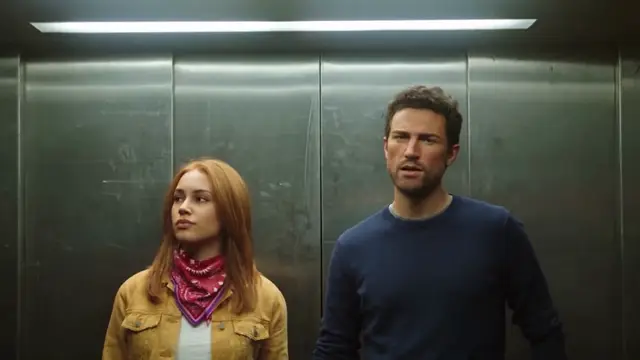

 The two photos that went in (AI-made people).
FAQ
Is there a CapCut template for the 365 elevator trend?
There are CapCut templates that cut the song "365" to your photos, but none can make two people walk into an elevator. That needs an AI video model.
Can I make the 365 elevator edit for free?
Only by filming it yourself in a real elevator. The AI version is a one-time payment.