The 365 elevator AI prompt
If you want to run the 365 elevator edit yourself in an AI video tool, this is the prompt and the settings we use. If you just want the video, add your two photos here and it runs for you.
Settings
- Model: Seedance 2.5 (multimodal reference, edit mode).
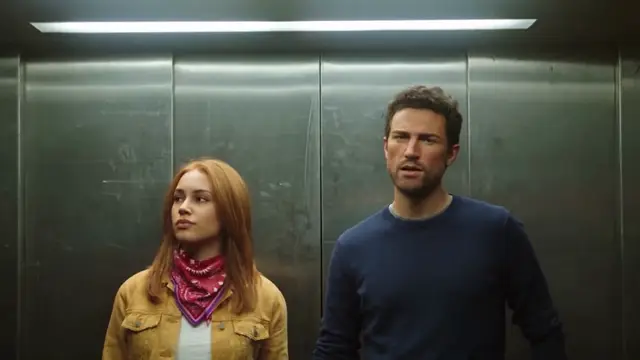
- Inputs: [Image 1] = the one who waits, [Image 2] = the one who walks in, [Video 1] = a 14-second cut of the elevator scene.
- Output: 720p, 16:9, length follows the reference clip (14 s). Audio off; put the song on afterwards so the timing is exact.
The prompt
Recreate the reference video [Video 1] shot for shot: the same steel elevator with white strip lights, the same locked front camera, one continuous take, the same framing, the same timing and moves. The ONLY change: [Image 1] replaces the man who waits in the elevator from the start and ends on the right, and [Image 2] replaces the woman who walks in and ends on the left. Each photo can show a person, a pet, a toy, a cartoon or game character, a figure or an object: whoever or whatever it shows takes that place with its WHOLE body, not only the head.

Do not copy the two people from [Video 1]: nothing of them stays in any frame, not their faces, hair, cap, tank top, pink neck scarf or jewelry.

The one who waits = [Image 1] in EVERY frame. If [Image 1] shows a person: copy the exact face - face shape, eye color and eye shape, eyebrows, nose, mouth, skin tone, age, hair color, hair length and hairstyle, and any beard, moustache, glasses or freckles exactly as in the photo - and the clothes from [Image 1]. NO cap, NO printed tank top and NO beard unless [Image 1] shows them. If it shows anything else: that exact subject, with its own shape, proportions, colors, surface, material and art style; its own body replaces ALL of the man's body, with no human arms, hands, skin or clothes unless [Image 1] shows them; a pet keeps its natural body volume, never flattened.

The one who walks in = [Image 2] in EVERY frame, copied from [Image 2] in the same way: a person with the exact face from [Image 2] and the clothes from [Image 2], with NO pink neck scarf, NO black crop top and NO ponytail unless [Image 2] shows them; anything else with its own body and no human arms, hands or clothes unless [Image 2] shows them. While the back is turned to the camera, the back of the head, the hair or fur and the clothes are already those of [Image 2].

When a photo shows only a head, add the rest so it matches. The same two in every frame, so their friends instantly recognize them. Never morph, never drift back to the original two, never mix them.

Timing, one continuous take, matching the reference:
0-1 s: [Image 1] stands alone in the elevator, right of center, facing the camera, calm, and fixes the top.
1-2.5 s: [Image 2] walks in from right in front of the camera, the back to the camera, and steps to the left side.
2.5-4 s: [Image 2] turns around to face the camera, looks around and touches the hair by the ear.
4-14 s: both stand side by side, [Image 2] left, [Image 1] right, from the waist up, cool and unbothered. They glance at each other, [Image 1] touches the face and makes a small hand move, [Image 2] poses with the arms down, and both end staring straight into the camera with a calm, unimpressed face.

No dialogue, nobody sings or talks. Anatomy rules: one head each, on its own body. A face never appears on hands or clothes. Exactly two in the elevator, no third person. No text, no logos, no watermark.
Why it is written this way
- "Do not copy the two people from [Video 1]": without it, the model keeps a cap, a neck scarf or the original faces.
- Roles by position: tying [Image 1] to "waits, ends on the right" and [Image 2] to "walks in, ends on the left" stops the model from swapping them.
- The back of the head: during the walk-in, the back of the head is visible. The prompt says it already belongs to [Image 2], or the original hair shows for a second.
- Second-by-second timing: the stare must land at the end, on the beat.
Common failures
Faces drifting back to the original pair, a third person appearing, or the camera moving. All three get rarer with sharp, front-facing photos. Every run is a new take, so a second run often fixes a bad one.
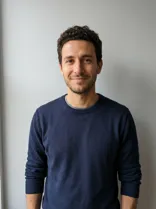
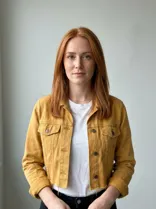 The two photos that went in (AI-made people).
FAQ
Which AI model makes the 365 elevator trend?
Seedance 2.5 in multimodal reference (edit) mode gives the closest copy of the scene, with two reference photos and the trend clip.
Do I need to write a prompt?
Not on this site. The prompt runs for you; you only add the two photos.